
Short answer
To install caja-open-any-terminal on Omarchy, open a terminal and run omarchy pkg add caja-open-any-terminal. It is a 26.6 KB download (85.6 KB installed), version 0.8.2-1, licensed GPL3. context-menu entry for opening other terminal in nautilus. Free and open source (GPLv3 licensed, open source).
Install caja-open-any-terminal on Omarchy
This is a Caja (and originally Nautilus) file-manager extension that adds a right-click context-menu entry to open a terminal at the current folder. Rather than being locked to one default terminal, it supports 40+ terminal emulators (Kitty, Alacritty, Konsole, Terminator, and more), configurable through gsettings or a dconf-editor panel.
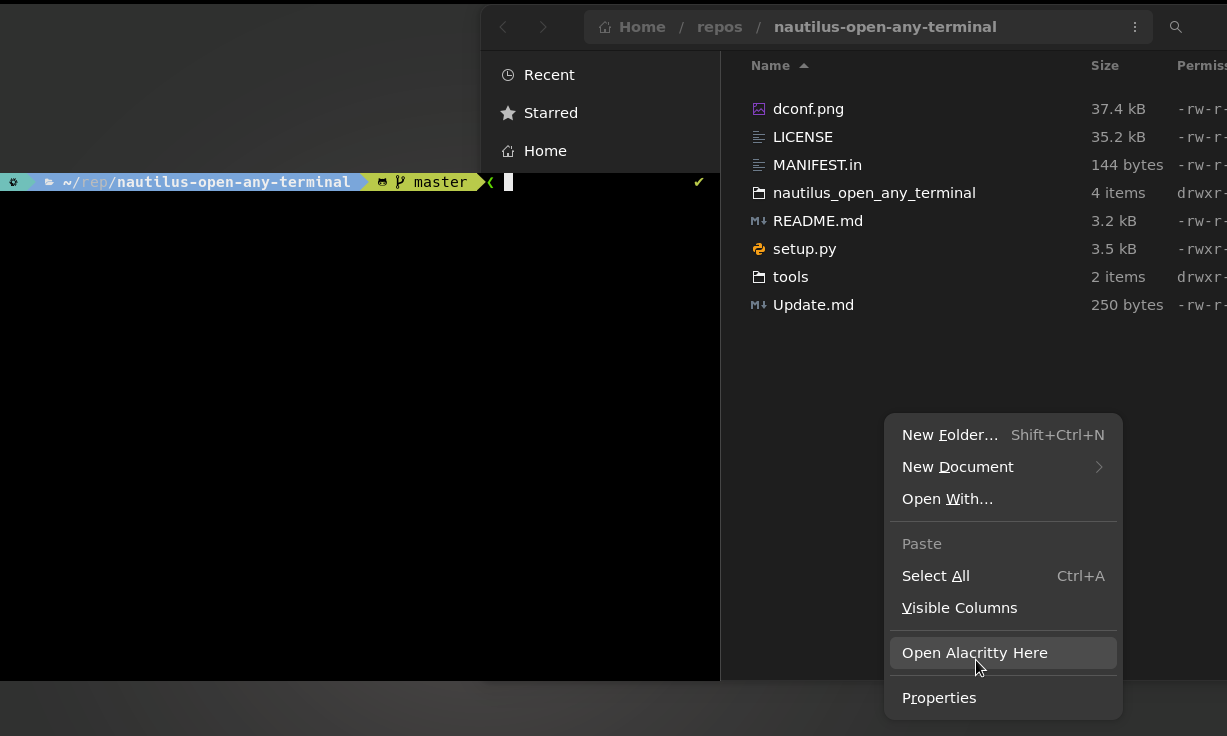
Image loaded from the upstream project · source ↗
- Open a terminal.
- Run the install command:
omarchy pkg add caja-open-any-terminal - Check it landed. Pacman should list version 0.8.2-1:
pacman -Qi caja-open-any-terminal
Open and use caja-open-any-terminal
caja-open-any-terminal has no window of its own: it is a command-line tool, library or system component. To see the commands it added to your PATH:
pacman -Ql caja-open-any-terminal | grep /usr/bin/caja-open-any-terminal requirements and compatibility
- a Caja/Nautilus Python extension runtime (nautilus-python or python3-nautilus)
- at least one supported terminal emulator installed to open
Dependencies Omarchy installs for you
python-caja
Pricing and license
Free and open source (GPLv3 licensed, open source). License: GPL3.
Uninstall caja-open-any-terminal
omarchy pkg drop caja-open-any-terminalcaja-open-any-terminal package facts
| Package | caja-open-any-terminal |
|---|---|
| Version | 0.8.2-1 |
| Category | Terminal & Shell |
| License | GPL3 |
| Download | 26.6 KB |
| Installed size | 85.6 KB |
| Built | 2026-07-26 |
| Pricing | Free and open source (GPLv3 licensed, open source) |
| Made by | Felix Bühler |
caja-open-any-terminal package page on this site · Project site
Frequently asked questions
How do I install caja-open-any-terminal on Omarchy?
Open a terminal and run omarchy pkg add caja-open-any-terminal. The download is 26.6 KB and it takes 85.6 KB once installed. Omarchy pulls in any dependencies automatically.
Is caja-open-any-terminal free?
Free and open source (GPLv3 licensed, open source). The package is licensed GPL3.
How do I uninstall caja-open-any-terminal?
Run omarchy pkg drop caja-open-any-terminal. It removes the package from your system.
What does caja-open-any-terminal depend on?
The package declares 1 dependency: python-caja. Omarchy installs them for you.
Is caja-open-any-terminal a desktop app?
No. caja-open-any-terminal has no window of its own; it is a command-line tool, library or system component.
Is caja-open-any-terminal in the official Omarchy repo?
Yes. It is published as caja-open-any-terminal (version 0.8.2-1) in the official Omarchy package repository. Felix Bühler makes it. Project site: https://github.com/Stunkymonkey/nautilus-open-any-terminal. This site is unofficial: an independent community project, not affiliated with or endorsed by Omacom or David Heinemeier Hansson. Built with David's blessing.