
Short answer
To install heroic-games-launcher on Omarchy, open a terminal and run omarchy pkg add heroic-games-launcher-bin. It is a 150.6 MB download (387.2 MB installed), version 2.22.4-1, licensed GPL-3.0-only. An Open source Launcher for Epic, Amazon and GOG Games. Free and open source.
Install heroic-games-launcher on Omarchy
Heroic Games Launcher is a free, open-source alternative launcher for Linux, Windows, and macOS (plus Steam Deck) that brings your Epic Games, GOG, and Amazon Prime Gaming libraries together in one app. It handles downloads and install queues with live progress, lets you manage Wine/Proton compatibility tools for running Windows games, offers a controller-friendly full-screen console mode for TVs and handhelds, and supports custom cover art and multiple language and theme options.
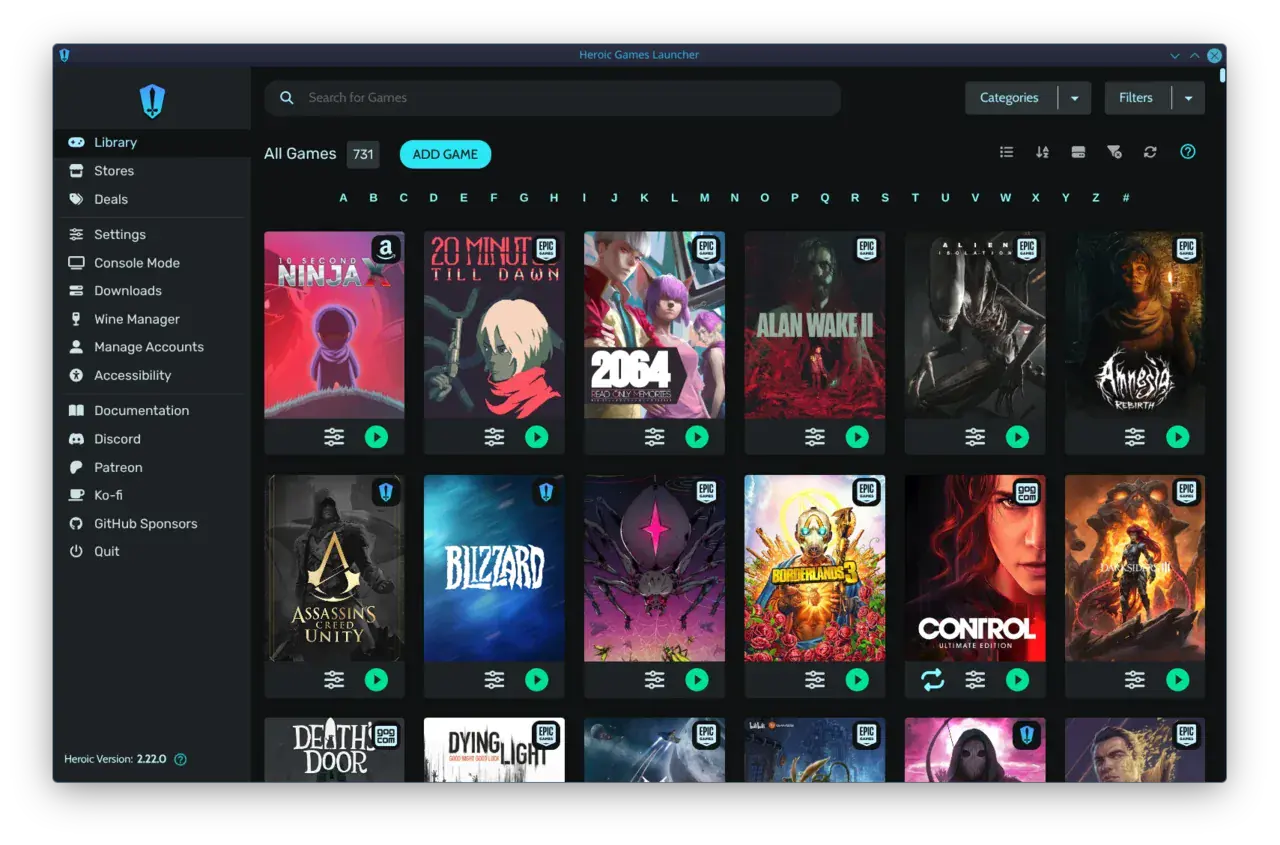
Image loaded from the upstream project · source ↗
Watch: Heroic Games Launcher on Linux Demo ↗
- Open a terminal.
- Run the install command:
omarchy pkg add heroic-games-launcher-bin - Check it landed. Pacman should list version 2.22.4-1:
pacman -Qi heroic-games-launcher-bin
Open and use heroic-games-launcher
heroic-games-launcher is a desktop app. Press Super + Space to open the launcher and search for it. If it does not show up by name, list the desktop entries the package installed:
pacman -Ql heroic-games-launcher-bin | grep applicationsheroic-games-launcher requirements and compatibility
- Accounts on whichever storefronts you want to use: Epic Games, GOG, and/or Amazon Prime Gaming
- Network access to those storefronts
Dependencies Omarchy installs for you
whichgtk3
Pricing and license
Free and open source. License: GPL-3.0-only.
Uninstall heroic-games-launcher
omarchy pkg drop heroic-games-launcher-binheroic-games-launcher package facts
| Package | heroic-games-launcher-bin |
|---|---|
| Version | 2.22.4-1 |
| Category | Gaming & Emulation |
| License | GPL-3.0-only |
| Download | 150.6 MB |
| Installed size | 387.2 MB |
| Built | 2026-10-15 |
| Pricing | Free and open source |
| Made by | Heroic Games Launcher |
heroic-games-launcher package page on this site · Project site · Source on GitHub
Frequently asked questions
How do I install heroic-games-launcher on Omarchy?
Open a terminal and run omarchy pkg add heroic-games-launcher-bin. The download is 150.6 MB and it takes 387.2 MB once installed. Omarchy pulls in any dependencies automatically.
Is heroic-games-launcher free?
Free and open source. The package is licensed GPL-3.0-only.
How do I uninstall heroic-games-launcher?
Run omarchy pkg drop heroic-games-launcher-bin. It removes the package from your system.
What does heroic-games-launcher depend on?
The package declares 2 dependencies: which, gtk3. Omarchy installs them for you.
Is heroic-games-launcher a desktop app?
Yes. Open the launcher with Super + Space and search for heroic-games-launcher.
Is heroic-games-launcher in the official Omarchy repo?
Yes. It is published as heroic-games-launcher-bin (version 2.22.4-1) in the official Omarchy package repository. Heroic Games Launcher makes it. Project site: https://heroicgameslauncher.com/. This site is unofficial: an independent community project, not affiliated with or endorsed by Omacom or David Heinemeier Hansson. Built with David's blessing.