
Short answer
To install lmstudio-bin on Omarchy, open a terminal and run omarchy pkg add lmstudio-bin. It is a 1 GB download (1 GB installed), version 0.4.26-1, licensed EULA. LM Studio - A desktop app for exploring and running large language models locally. Free to use (free for personal and commercial use, no premium tiers).
Install lmstudio-bin on Omarchy
This is the same LM Studio desktop app as the source-build package, just distributed as a ready-to-run binary instead of being compiled from source at install time. It lets you discover, download, and chat with open-source language models locally through a ChatGPT-style interface, keeping all inference on your own hardware.
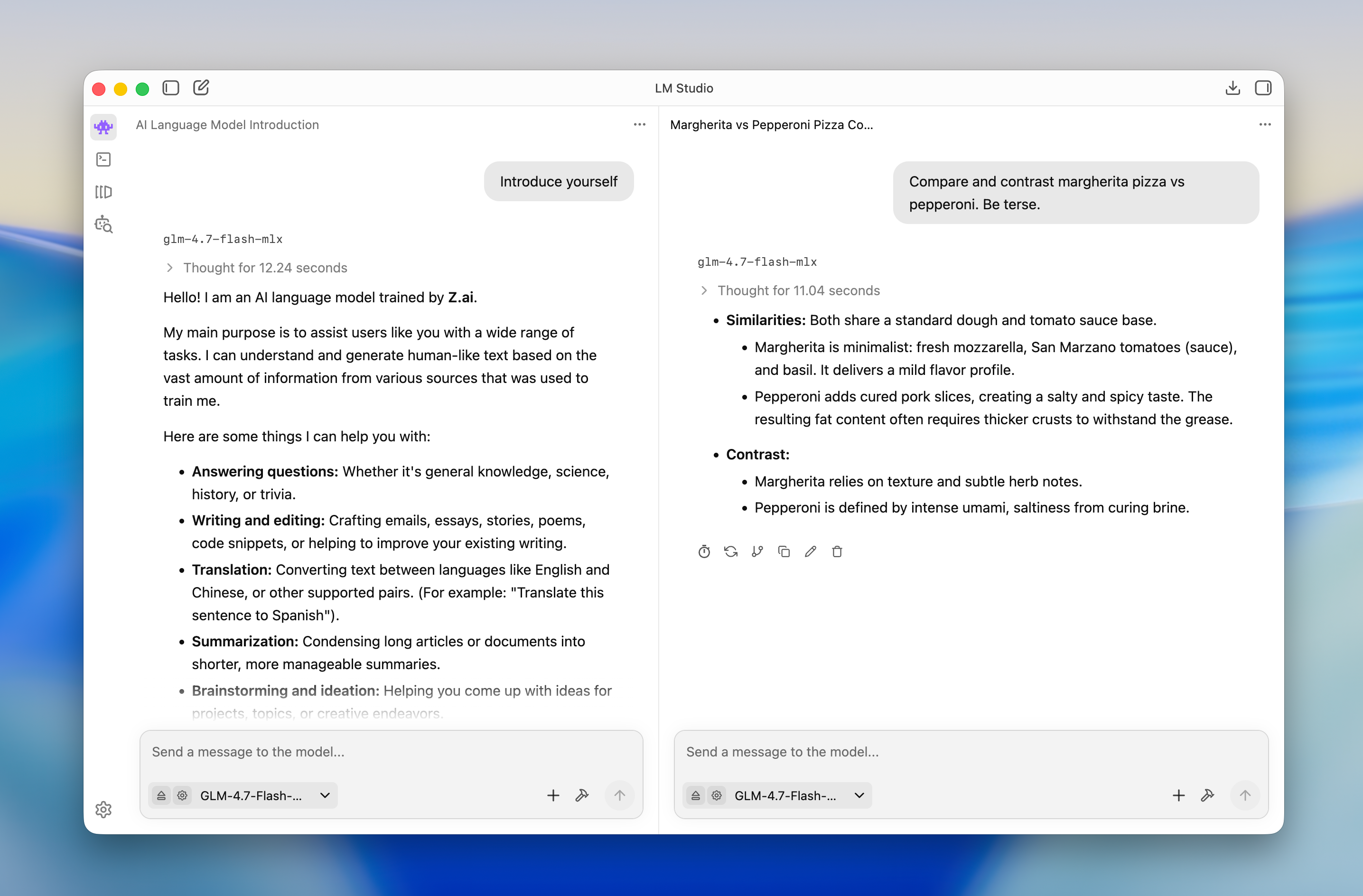
Image loaded from the upstream project · source ↗
Watch: Getting started with LM Studio (100% private local AI) ↗
- Open a terminal.
- Run the install command:
omarchy pkg add lmstudio-bin - Check it landed. Pacman should list version 0.4.26-1:
pacman -Qi lmstudio-bin
Open and use lmstudio-bin
lmstudio-bin is a desktop app. Press Super + Space to open the launcher and search for it. If it does not show up by name, list the desktop entries the package installed:
pacman -Ql lmstudio-bin | grep applicationslmstudio-bin requirements and compatibility
- Enough disk space and RAM/VRAM to hold whichever local model you download
- A capable GPU (or Apple Silicon) speeds up inference but is not strictly required
- Network access only when browsing or downloading models from Hugging Face; runs fully offline afterward
Dependencies Omarchy installs for you
fuse2zlibhicolor-icon-themegtk3nsslibxcrypt-compat
Pricing and license
Free to use (free for personal and commercial use, no premium tiers). License: EULA.
Uninstall lmstudio-bin
omarchy pkg drop lmstudio-binlmstudio-bin package facts
| Package | lmstudio-bin |
|---|---|
| Version | 0.4.26-1 |
| Category | AI & Agents |
| License | EULA |
| Download | 1 GB |
| Installed size | 1 GB |
| Built | 2026-10-09 |
| Pricing | Free to use (free for personal and commercial use, no premium tiers) |
| Made by | LM Studio |
Frequently asked questions
How do I install lmstudio-bin on Omarchy?
Open a terminal and run omarchy pkg add lmstudio-bin. The download is 1 GB and it takes 1 GB once installed. Omarchy pulls in any dependencies automatically.
Is lmstudio-bin free?
Free to use (free for personal and commercial use, no premium tiers). The package is licensed EULA.
How do I uninstall lmstudio-bin?
Run omarchy pkg drop lmstudio-bin. It removes the package from your system.
What does lmstudio-bin depend on?
The package declares 6 dependencies: fuse2, zlib, hicolor-icon-theme, gtk3, nss, libxcrypt-compat. Omarchy installs them for you.
Is lmstudio-bin a desktop app?
Yes. Open the launcher with Super + Space and search for lmstudio-bin.
Is lmstudio-bin in the official Omarchy repo?
Yes. It is published as lmstudio-bin (version 0.4.26-1) in the official Omarchy package repository. LM Studio makes it. Project site: https://lmstudio.ai. This site is unofficial: an independent community project, not affiliated with or endorsed by Omacom or David Heinemeier Hansson. Built with David's blessing.