
Short answer
To install schist on Omarchy, open a terminal and run omarchy pkg add schist. It is a 37.1 MB download (134.5 MB installed), version 0.11.0-1, licensed MIT. Layered image editor with PSD and Affinity support. Free and open source.
Install schist on Omarchy
Schist is a layered image editor built in Rust with a plugin-first design, aimed at people who need real PSD and Affinity file compatibility on Linux without giving up source control. It ships dozens of brushes, selection and retouching tools, adjustment layers, and Photoshop-style filters, plus GPU-accelerated compositing, content-aware fill, liquify, and non-destructive editing. Every tool and filter is itself a plugin, so the whole editor is meant to be extended.
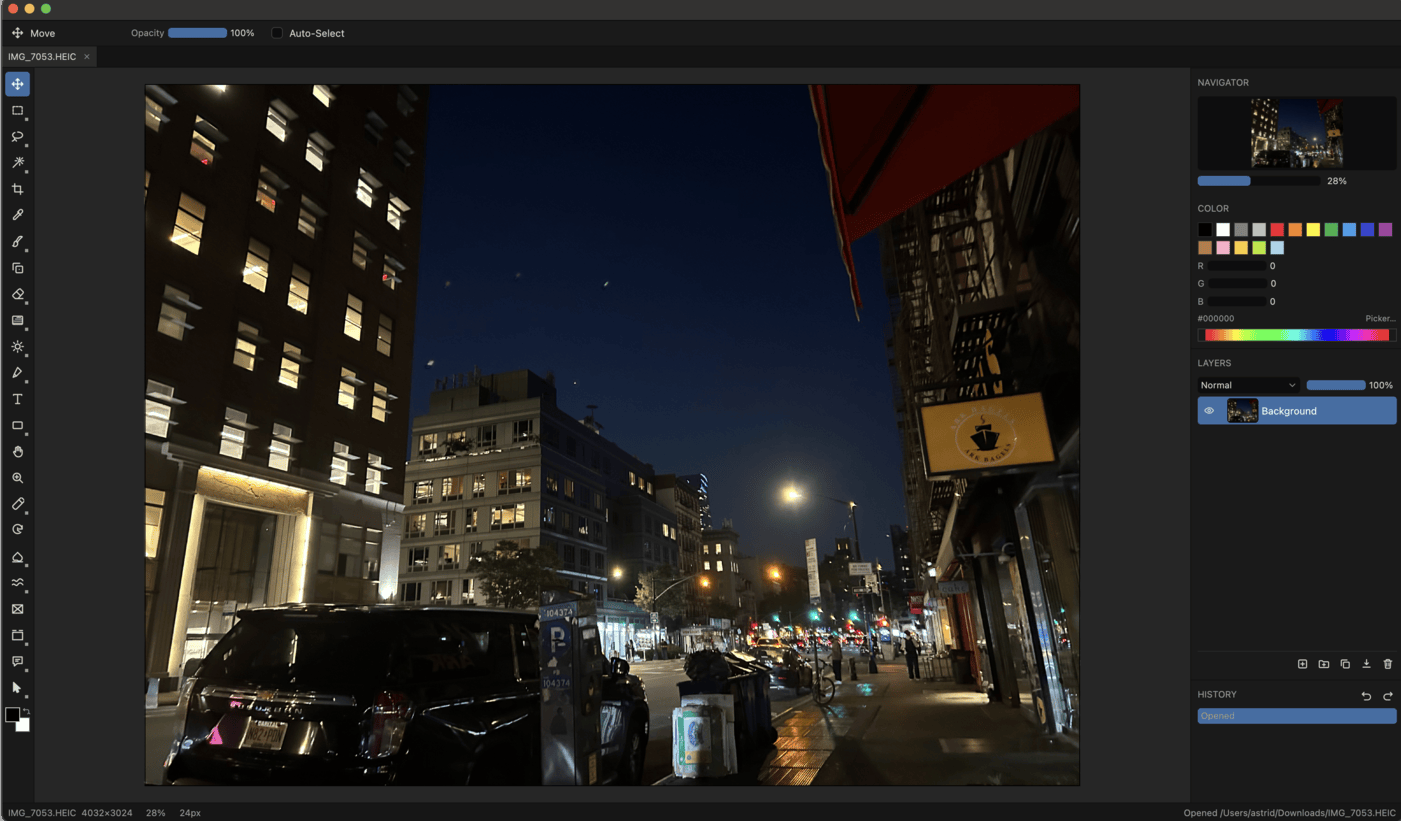
Image loaded from the upstream project · source ↗
- Open a terminal.
- Run the install command:
omarchy pkg add schist - Check it landed. Pacman should list version 0.11.0-1:
pacman -Qi schist
Open and use schist
schist is a desktop app. Press Super + Space to open the launcher and search for it. If it does not show up by name, list the desktop entries the package installed:
pacman -Ql schist | grep applicationsschist requirements and compatibility
- A Vulkan-capable GPU and driver for GPU-accelerated filters and compositing
Dependencies Omarchy installs for you
fontconfigfreetype2hicolor-icon-themelibxcblibxkbcommonlibxkbcommon-x11vulkan-icd-loaderwayland
Pricing and license
Free and open source. License: MIT.
Uninstall schist
omarchy pkg drop schistschist package facts
| Package | schist |
|---|---|
| Version | 0.11.0-1 |
| Category | Media & Creative |
| License | MIT |
| Download | 37.1 MB |
| Installed size | 134.5 MB |
| Built | 2026-09-04 |
| Pricing | Free and open source |
| Made by | Infrawrench LLC |
Frequently asked questions
How do I install schist on Omarchy?
Open a terminal and run omarchy pkg add schist. The download is 37.1 MB and it takes 134.5 MB once installed. Omarchy pulls in any dependencies automatically.
Is schist free?
Free and open source. The package is licensed MIT.
How do I uninstall schist?
Run omarchy pkg drop schist. It removes the package from your system.
What does schist depend on?
The package declares 8 dependencies: fontconfig, freetype2, hicolor-icon-theme, libxcb, libxkbcommon, libxkbcommon-x11, vulkan-icd-loader, wayland. Omarchy installs them for you.
Is schist a desktop app?
Yes. Open the launcher with Super + Space and search for schist.
Is schist in the official Omarchy repo?
Yes. It is published as schist (version 0.11.0-1) in the official Omarchy package repository. Infrawrench LLC makes it. Project site: https://github.com/Infrawrench/schist. This site is unofficial: an independent community project, not affiliated with or endorsed by Omacom or David Heinemeier Hansson. Built with David's blessing.