
Short answer
To install yaru-icon-theme on Omarchy, open a terminal and run omarchy pkg add yaru-icon-theme. It is a 45.5 MB download (66.5 MB installed), version 26.10.3-3, licensed GPL3. Yaru default ubuntu icon theme. Free and open source.
Install yaru-icon-theme on Omarchy
Yaru's icon theme provides application, folder, and system icons for the Ubuntu desktop, built from the Unity8 Suru icon set and its Suru successor. It's the component most people recognize as 'the Ubuntu look' — orange folder icons, flat colorful app icons, and a matching cursor theme. It's the largest Yaru sub-package by size since it bundles a large set of icon assets.
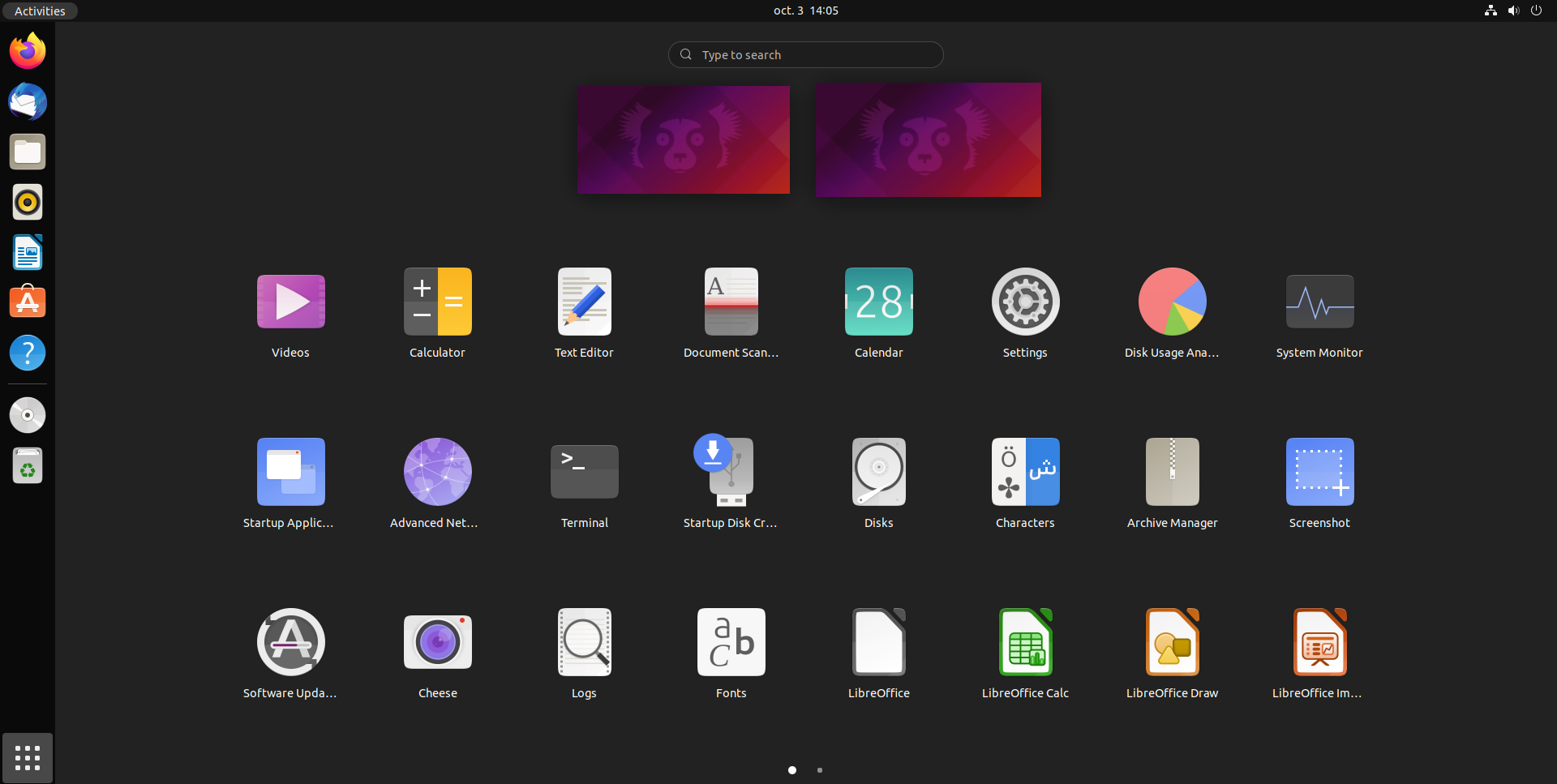
Image loaded from the upstream project · source ↗
- Open a terminal.
- Run the install command:
omarchy pkg add yaru-icon-theme - Check it landed. Pacman should list version 26.10.3-3:
pacman -Qi yaru-icon-theme
Open and use yaru-icon-theme
yaru-icon-theme has no window of its own: it is a command-line tool, library or system component. To see the commands it added to your PATH:
pacman -Ql yaru-icon-theme | grep /usr/bin/yaru-icon-theme requirements and compatibility
No special requirements are documented for yaru-icon-theme.
Dependencies Omarchy installs for you
hicolor-icon-themegtk-update-icon-cachelibrsvg
Pricing and license
Free and open source. License: GPL3.
Uninstall yaru-icon-theme
omarchy pkg drop yaru-icon-themeyaru-icon-theme package facts
| Package | yaru-icon-theme |
|---|---|
| Version | 26.10.3-3 |
| Category | Themes & Desktop |
| License | GPL3 |
| Download | 45.5 MB |
| Installed size | 66.5 MB |
| Built | 2026-10-17 |
| Pricing | Free and open source |
| Made by | Ubuntu |
Frequently asked questions
How do I install yaru-icon-theme on Omarchy?
Open a terminal and run omarchy pkg add yaru-icon-theme. The download is 45.5 MB and it takes 66.5 MB once installed. Omarchy pulls in any dependencies automatically.
Is yaru-icon-theme free?
Free and open source. The package is licensed GPL3.
How do I uninstall yaru-icon-theme?
Run omarchy pkg drop yaru-icon-theme. It removes the package from your system.
What does yaru-icon-theme depend on?
The package declares 3 dependencies: hicolor-icon-theme, gtk-update-icon-cache, librsvg. Omarchy installs them for you.
Is yaru-icon-theme a desktop app?
No. yaru-icon-theme has no window of its own; it is a command-line tool, library or system component.
Is yaru-icon-theme in the official Omarchy repo?
Yes. It is published as yaru-icon-theme (version 26.10.3-3) in the official Omarchy package repository. Ubuntu makes it. Project site: https://github.com/ubuntu/yaru. This site is unofficial: an independent community project, not affiliated with or endorsed by Omacom or David Heinemeier Hansson. Built with David's blessing.